

Software Corporates

Software Category

Discover the Best LMS Software for Your Business

Learning management systems for employee training, compliance courses, and customer education.

  • Free Demos
  • Side-by-Side Compare
Get Free Advice

Browse by subcategory

21 subcategories in LMS Software

All categories

AI-Powered Learning Platforms

LMS Software helps manage online learning, courses, training, and learner progress efficiently.

5 products

Certification Tracking Software

LMS Software helps manage online learning, courses, training, and learner progress efficiently.

4 products

Cloud Based LMS Software

LMS Software helps manage online learning, courses, training, and learner progress efficiently.

6 products

Computer Based Training Software

LMS Software helps manage online learning, courses, training, and learner progress efficiently.

5 products

Course Creation Software

LMS Software helps manage online learning, courses, training, and learner progress efficiently.

5 products

E-Learning Authoring Software

LMS Software helps manage online learning, courses, training, and learner progress efficiently.

5 products

Employee Training Software

LMS Software helps manage online learning, courses, training, and learner progress efficiently.

4 products

Healthcare LMS Software

LMS Software helps manage online learning, courses, training, and learner progress efficiently.

3 products

Hospitality LMS Software

LMS Software helps manage online learning, courses, training, and learner progress efficiently.

1 product

Learning Content Management System

LMS Software helps manage online learning, courses, training, and learner progress efficiently.

0 products

LMS For Corporate Training Software

LMS Software helps manage online learning, courses, training, and learner progress efficiently.

4 products

LMS For Manufacturing Software

LMS Software helps manage online learning, courses, training, and learner progress efficiently.

1 product

LMS for Nonprofits Software

LMS Software helps manage online learning, courses, training, and learner progress efficiently.

1 product

LMS for Schools Software

LMS Software helps manage online learning, courses, training, and learner progress efficiently.

4 products

Mobile LMS Software

LMS Software helps manage online learning, courses, training, and learner progress efficiently.

5 products

Online Course Platforms LMS Software

LMS Software helps manage online learning, courses, training, and learner progress efficiently.

5 products

Retail LMS Software

LMS Software helps manage online learning, courses, training, and learner progress efficiently.

1 product

SaaS Learning Management System

LMS Software helps manage online learning, courses, training, and learner progress efficiently.

5 products

SCORM-Compliant LMS Software

LMS Software helps manage online learning, courses, training, and learner progress efficiently.

5 products

Social Learning Platforms Software

LMS Software helps manage online learning, courses, training, and learner progress efficiently.

5 products

Virtual Classroom LMS Software

LMS Software helps manage online learning, courses, training, and learner progress efficiently.

4 products

Hand-picked solutions our experts recommend most

Our Top Picks

Explore trusted lms software options with transparent pricing cues, verified reviews, and side-by-side comparisons for teams of every size.

#1

Articulate 360 LMS Software

0.0 ★ · 0 Reviews

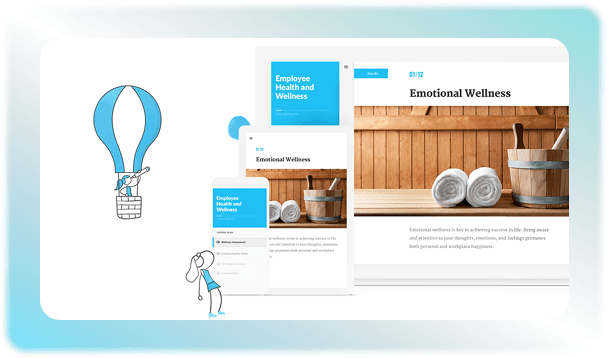
Articulate 360 is an all-in-one e-learning software that allows creators to design and publish interactive training content. It offers two tools for course creation called Rise 360 and Storyline 360 to build lessons according to your requirements. The built-in AI features increase the pace of content generation. The AI assistant can be used by instructors to create summaries or draft quick quizzes to minimize writer’s block. You can use the endless content library to drag-and-drop visuals and texts relevant to your courses. Book an Articulate 360 demo now to find out about other features of this LMS software. 
#2

Blackboard Learn LMS Software

0.0 ★ · 0 Reviews

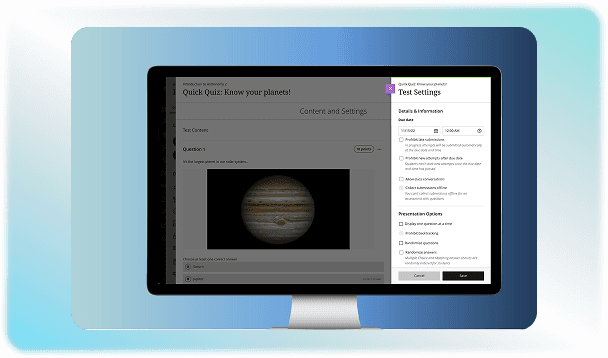
Blackboard Learn Software is an LMS  used by educational institutions and businesses to build and manage courses. Users can log in to this software to access educational content anywhere they want. It facilitates the learning process by making online education accessible and feasible. Teachers also benefit from this solution to design courses by organizing the syllabus. They can monitor the progress of the students to ensure everyone can meet their learning goals. If you want to watch how this software works, contact us to watch the Blackboard Learn demo. 

#3

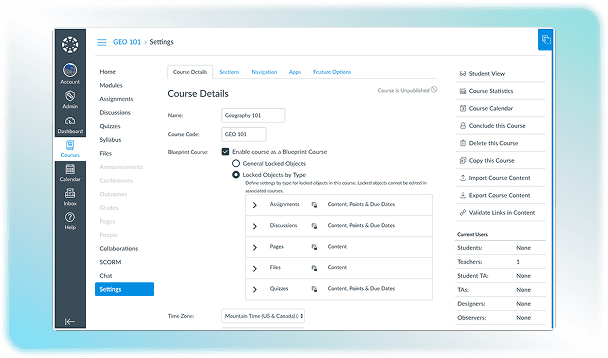
Canvas LMS Software

0.0 ★ · 0 Reviews

Canvas LMS is a cloud-based software that is used by educational institutions and corporates for sharing courses or assignments with students. It provides a platform for instructors to create, organize, share, and design courses according to their needs. This software is accessible remotely, which ensures uninterrupted learning from any place at any time. A free version of this software is also available, but institutional use and enterprise features require paid licenses. 

#4

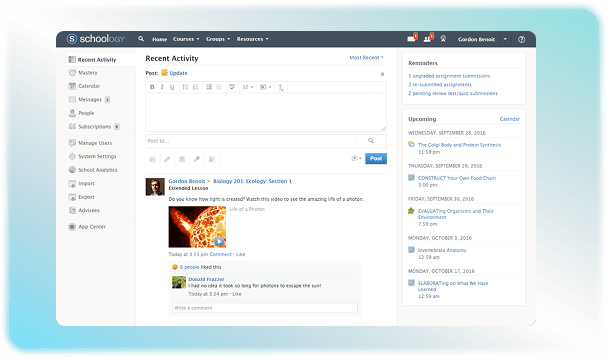
Schoology LMS Software

0.0 ★ · 0 Reviews

Schoology is a Learning Management System that helps educational institutions meet the demands of the modern world. It facilitates the learning process by making the content accessible for students from any connected device. Teachers can also use the platform to view student performance instantly and identify learning gaps. This helps them plan their teaching methodology according to the requirements of each student. You can also use it to make the grading process quick and engaging. Take a look at the Schoology demo now to check out the practical benefits of this software. 

All LMS Software

6 products

Sort
Rating

Articulate 360 LMS Software

0.0 ★ · 0 Reviews

Articulate 360 is an all-in-one e-learning software that allows creators to design and publish interactive training content. It offers two tools for course creation called Rise 360 and Storyline 360 to build lessons according to your requirements. The built-in AI features increase the pace of content generation. The AI assistant can be used by instructors to create summaries or draft quick quizzes to minimize writer’s block. You can use the endless content library to drag-and-drop visuals and texts relevant to your courses. Book an Articulate 360 demo now to find out about other features of this LMS software. 

Blackboard Learn LMS Software

0.0 ★ · 0 Reviews

Blackboard Learn Software is an LMS  used by educational institutions and businesses to build and manage courses. Users can log in to this software to access educational content anywhere they want. It facilitates the learning process by making online education accessible and feasible. Teachers also benefit from this solution to design courses by organizing the syllabus. They can monitor the progress of the students to ensure everyone can meet their learning goals. If you want to watch how this software works, contact us to watch the Blackboard Learn demo. 

Canvas LMS Software

0.0 ★ · 0 Reviews

Canvas LMS is a cloud-based software that is used by educational institutions and corporates for sharing courses or assignments with students. It provides a platform for instructors to create, organize, share, and design courses according to their needs. This software is accessible remotely, which ensures uninterrupted learning from any place at any time. A free version of this software is also available, but institutional use and enterprise features require paid licenses. 

Schoology LMS Software

0.0 ★ · 0 Reviews

Schoology is a Learning Management System that helps educational institutions meet the demands of the modern world. It facilitates the learning process by making the content accessible for students from any connected device. Teachers can also use the platform to view student performance instantly and identify learning gaps. This helps them plan their teaching methodology according to the requirements of each student. You can also use it to make the grading process quick and engaging. Take a look at the Schoology demo now to check out the practical benefits of this software. 

Study island LMS Software

0.0 ★ · 0 Reviews

Master the state-standard academics and prepare for standardized testing with Study Island. This web-based platform makes online learning easy and efficient. Educational institutions use it for teaching and assessing subjects like math, reading, science, and social studies. Its unique gamification features and reward system also encourage students to study. Thus, this LMS makes the learning process engaging. Teachers can also use it to analyze the performance of the students, so they can take all necessary steps to ensure better academic results. Contact us if you want to find out Study Island pricing details. Just head over to the quotation form on our website and fill it out to get in touch with our expert team.                                                                                                                  

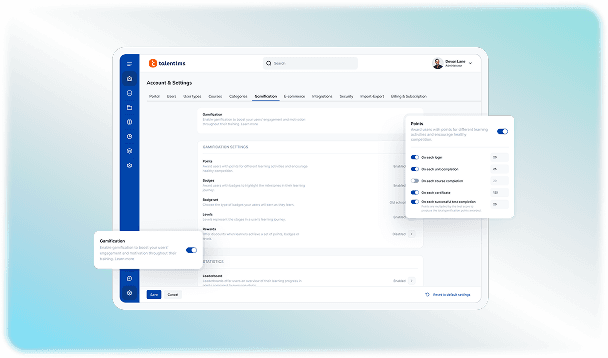
TalentLMS Software

0.0 ★ · 0 Reviews

Organizations use TalentLMS software to create and deliver courses for training and onboarding. It is a cloud-based learning management system solution developed by Epignosis. This software makes the process of building courses a lot easier by incorporating AI called Talent Craft. It writes text and builds graphics for your lessons, so you don't have to start from scratch. The solution organizes different teams easily by offering separate training portals for different departments. Remote learning is facilitated through this platform because users can access it at any time and place. Check out the TalentLMS demo to see how the software works. Get in touch with us now to share your queries.

LMSbuyer's guide

Buyer Guide

Education can be made engaging and manageable by incorporating a Learning Management System in your operations. This software provides a centralized infrastructure that can be accessed by instructors, students and management at the same time to ensure a smooth communication flow. Its use makes learning interactive for students and creates ease for teachers to track progress or upload courses on time. It can be deployed to cater to the needs of educational organizations operating at different scales and sizes. 


What is LMS Software?

It is a software application that is designed to create and upload educational content that can be accessed by students to avail a diversified learning opportunity. The platform serves as a digital repository to securely store and organize diverse educational assets in different formats. It also makes administrative tasks easier by not only maintaining a detailed record but also monitoring progress to ensure the best results that benefit the student as well as the organization. 

LMS Deployment Models

There are different ways in which a Learning Management System can be deployed as software. The model you select determines how users access training materials and how your IT team manages data. Common models for software deployment include: 

Types Of LMS Software for Different Organizations

There are various kinds of dedicated software that are designed to meet the requirements of organizations that have different user structure needs. It is important to select the right system to ensure the technology can fulfill the intended goals. They can be categorized as: 

Main Capabilities Of A Learning Management System

Vast number of goals can be achieved by using the right software that can manage educational and training activities from registration to the final certification at the end of the course. A valid LMS can perform these main functions: 

Advanced Features For Engaging Learning

Make the process of learning collaborative by ditching the boring methods. LMS can be used to introduce smart features that can retain concentration and expand study time by making it engaging. Some options include: 

Pricing And Licensing Models

LMS pricing is usually available in different tiers and plans instead of a fixed subscription plan. You can choose the payment model based on your user engagement and the size of your organization. It can also vary with the purpose for which you require the software. Common plans are listed as follows:

Model

How it works

Estimated cost

Best for 

Watch out for 

Pay-per-user

Pay for every account created

$3 to $8/ user per month

Small teams with fixed members 

Paying for inactive users

Pay-learner-per-month 

Pay only for users who log in

$4 to $ 10/ active user per month

Seasonal teams

Unpredictable monthly bills 

Open source

Free software download

No cost for software. $2000 to $20,000+

Tech-savvy teams with their own IT experts 

High setup and hosting cost

Why Opt For LMS Online Learning?

Ditch the boring traditional methods of learning and adopt the modern trends that make education engaging. LMS software removes the bounds of time and space by allowing users to access courses anywhere and at any time. E-learning facilitates a lot of students in remote locations by giving them an equal opportunity to study. It also helps the trainers make courses that can be reused once it has been created. Transparent assessment is also facilitated through this software. In short, it provides a comprehensive ecosystem that supports sustainable organizational growth and enables all users to revolutionize the learning process. 

LMS FAQ

Frequently asked questions

Quick answers to common questions buyers ask while evaluating lms software.

  • Yes. Most enterprise LMS platforms meet strict security standards to protect privacy and prevent data breaches. They use data encryption to protect personal info and feature single sign-on for secure logins. 


  • Systems built for Extended Enterprise or Associations include built-in e-commerce tools. They connect you with payment gateways to support subscription models that you select.

  • Some of the platforms can be used for free, such as Moodle and TalentLMS. You do not have to pay to download and install them.

  • Yes. Mobile phones can be used to access LMS easily through the web. Some of them also have mobile apps that are compatible with both Android and iOS devices.

  • The time required for deploying a Learning Management System depends on the hosting model and the complexity required by the organization. Cloud-based models are implemented at a faster rate in about 1 to 3 days. On-premises custom enterprises take longer time of about 2 to 6 months, to sync data.

Ready to compare LMS?

Shortlist options side by side, or talk with an advisor who can help you match tools to budget and business needs.

Contact us now

Request a free consultation with us

We'll help you find tools that fit your budget and business needs. Share a few details and we'll get back to you.

You accept our policy