Software Corporates

Blackboard Learn LMS Software

0.00 verified reviews

Blackboard Learn Software is an LMS  used by educational institutions and businesses to build and manage courses. Users can log in to this software to access educational content anywhere they want. It facilitates the learning process by making online education accessible and feasible. Teachers also benefit from this solution to design courses by organizing the syllabus. They can monitor the progress of the students to ensure everyone can meet their learning goals. If you want to watch how this software works, contact us to watch the Blackboard Learn demo. 

  • Free demo available
  • Expert guidance
  • Cloud-based
  • Saas
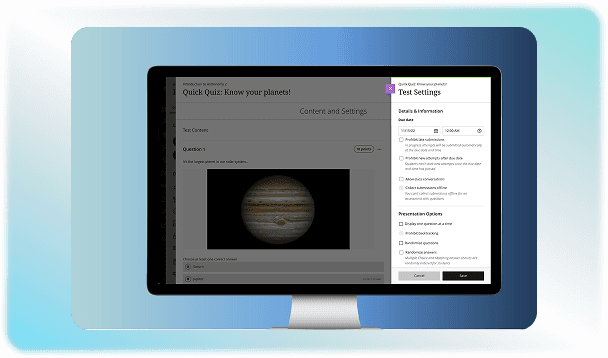
Blackboard Learn LMS Software gallery image 1 of 4

1 / 4

What Is Blackboard Learn LMS Software?

Blackboard Learn is a learning management system developed by Anthology. It provides a centralized space that facilitates digital education. It provides a platform for students and employees to access lectures or other kinds of learning materials. This web-based system also helps in managing academic administrative workflows smoothly. 

Who Can Use Blackboard LMS Software?

This learning software is used by students, teachers, instructors, management, and enterprise teams. The platform delivers online learning and training courses for the users. At the same time, it is used by instructors or managers to monitor the progress of the students. It is mostly used in:

Higher Educational Institutes

Universities and colleges use this LMS platform as a digital campus. Professors use it to run online or hybrid courses designed according to institutional guidelines. Undergraduate and graduate students use it to access lectures and submit assignments online.

K-12 School Districts

Blackboard education software is mostly used by elementary, middle, and high schools. Tests and homework can be assigned through this platform. It also keeps parents updated on student performance.  

Corporate Organization

Human resources and managers use the platform to deliver compliance courses and track employee skill development. Blackboard LMS for business thus makes training easier and in accordance with company policies. 

Blackboard Cost

Anthology does not share public prices for this software. They give custom quotes based on your organization's size. Get in touch with us to get detailed information on 

Blackboard LMS pricing. 

Blackboard Alternatives

There are multiple LMS software options, but why should you prefer Blackboard? You can check out the comparisons with other solutions. 

D2L vs Blackboard

Brightspace is preferred where student monitoring is rigorously required. It helps in flagging struggling learners so that timely action is possible. Whereas, Blackboard is used for long-term student graduation rates and to follow official school rules. 

Blackboard vs Canvas

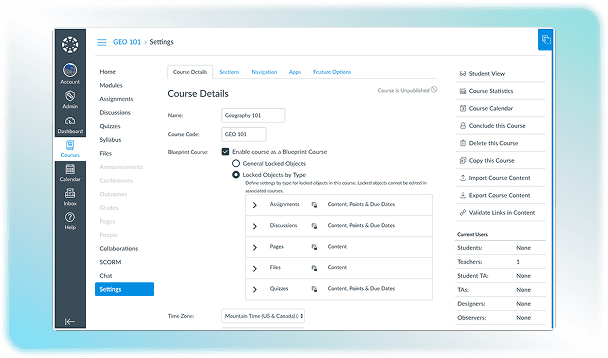
Canvas LMS  has a linear module-based structure where materials are organized page-by-page. On the other hand, Blackboard allows instructors to build custom link structures and separate content areas on the course menu.

Moodle vs Blackboard

The main difference between Moodle LMS software and Blackboard is that Moodle is a free platform that offers endless code-level customisation. The other software has paid licensing and features custom quotes. 

Why Choose Blackboard LMS?

Organizations use the Blackboard Learning Management System because it provides a scalable and AI-powered cloud platform to manage large-scale education and corporate training. It makes online education accessible for students by allowing them to access their courses at any time and place of their convenience. Instructors and managers can also keep track of learners’ progress with the reporting features of the software. Learn about its features by watching the Blackboard LMS demo.  
8 of 9 included

Specifications

What Blackboard Learn LMS Software covers across workflows, access, and support.

  • Asynchronous Learning

    Included

  • Activity Dashboard

    Included

  • Activity Dashboard

    Included

  • Curriculum Management

    Included

  • Collaboration Tools

    Included

  • Training Management

    Included

  • Access Control

    Included

  • Learner Portal

    Included

Not included

  • Financial Aid Management

    Not included

5 core capabilities

Blackboard Learn LMS Software Features

Explore what Blackboard Learn LMS Software offers—from day-to-day workflows to advanced capabilities.

1

Course Management

Blackboard education software lets instructors create their own courses through the drag-and-drop tools. The content can be stored in the platform repository and shared at a specific time.  For example, you can schedule the content to appear once a student completes a lesson. 0

2

Collaboration Tools

Threads are a  Blackboard LMS feature that lets students discuss and debate a topic under a video or lesson. This helps in connecting individuals to their classmates and team members constructively. Students also receive notifications when deadlines are upcoming or assignments are uploaded to keep them updated. 

3

Assessment And AI Generation

Blackboard AI Virtual Assistant helps teachers draft course outlines and discussion prompts based on their syllabus to make their work efficient. They can also use it to generate grading rubrics to keep the process transparent and consistent. 

4

Virtual Classrooms

Blackboard Collaborate is a virtual classroom that provides students and teachers a platform to meet online. An interactive whiteboard is one of its standout features that makes communication easier between the pupil and instructors. The attendance of this session is also shared with admin to ensure maximum participation. 

5

Administration And Data Analytics

There is a retention alert dashboard in the Blackboard learning software that analyzes student engagement platforms. All of this information is synced with the institutional student database to maintain a transparent performance record. Administrators can also connect external educational apps using LTI open standards for enhanced functionality. 

A quick look at strengths and trade-offs

Pros and Cons

Pros

  • Its advanced grading and tracking tools make it a reliable option for teachers to monitor student progress.
  • The platform ensures institutional compliance with FERPA, i.e., the Family Educational Rights and Privacy Act in the US, for data safety.
  • The inclusive nature of this platform makes it a good option for students with different learning needs.
  • It is supported on all devices.

Cons

  • The interface of the software is complex, which makes its learning curve steep.
  • The rigid template designs restrict instructors from personalizing course layouts.
  • As per Blackboard reviews, the performance lags when heavy files are processed.

Verified buyer feedback

Blackboard Learn LMS Software Reviews

No reviews yet. Be the first to share how Blackboard Learn LMS Software works for your team.

Blackboard Learn LMS Software FAQ

Frequently asked questions

Common questions buyers ask before shortlisting Blackboard Learn LMS Software.

  • Blackboard Learn is an AI-powered platform used by K-12 schools, universities, and businesses to manage education. It acts as a digital classroom where instructors can share lessons and interact with students to solve queries and track progress. 

  • Blackboard supports more than 30 languages globally. Users can change their interface and settings to languages like English, Spanish, Arabic, French, German, Chinese, Japanese, Korean, etc.

  • The setup time of Blackboard software depends on your role. Students can learn it within an hour, while teachers can take up to 2 weeks. The administration takes 1 to 2 months to link the system with the school’s main database.

  • Yes. Blackboard software connects with many tools like Zoom, Turnitin, Panopto, Reach, Schoology, and Perusall.

  • Yes. It runs as a cloud service hosted securely by Amazon Web Services.

Compare similar options

Popular Alternatives

TalentLMS Software

0.0 ★ · 0 Reviews

Compare pricing, reviews, and features for TalentLMS Software in LMS Software.

Articulate 360 LMS Software

0.0 ★ · 0 Reviews

Compare pricing, reviews, and features for Articulate 360 LMS Software in LMS Software.

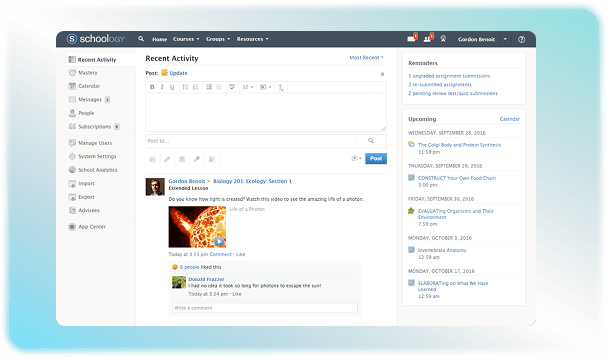
Schoology LMS Software

0.0 ★ · 0 Reviews

Compare pricing, reviews, and features for Schoology LMS Software in LMS Software.

Canvas LMS Software

0.0 ★ · 0 Reviews

Compare pricing, reviews, and features for Canvas LMS Software in LMS Software.

Pricing & expert advice

See real Blackboard Learn LMS Software pricing — matched to your team

Tell us how your team operates and a specialist will return with concrete numbers, an honest fit-check, and closely matched options to compare—no sales pressure.

  • ✓ Tailored quote within one business day
  • ✓ Independent fit-check from our advisors
  • ✓ Two or three alternatives to weigh up

Contact us now

Request a free consultation with us

We'll help you find tools that fit your budget and business needs. Share a few details and we'll get back to you.

You accept our policy