Software Corporates

Schoology LMS Software

0.00 verified reviews

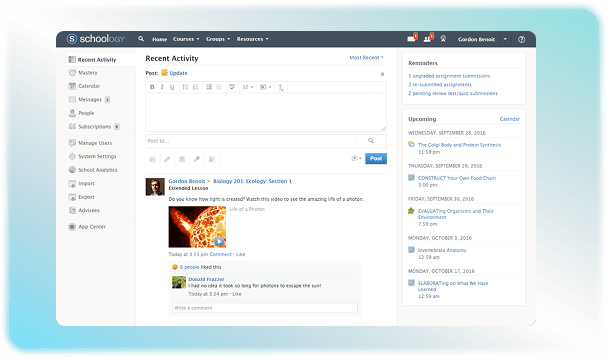
Schoology is a Learning Management System that helps educational institutions meet the demands of the modern world. It facilitates the learning process by making the content accessible for students from any connected device. Teachers can also use the platform to view student performance instantly and identify learning gaps. This helps them plan their teaching methodology according to the requirements of each student. You can also use it to make the grading process quick and engaging. Take a look at the Schoology demo now to check out the practical benefits of this software. 

  • Free demo available
  • Expert guidance
  • Cloud-based
  • Saas
Schoology LMS Software gallery image 1 of 2

1 / 2

What Is Schoology LMS Software?

Schoology is a learning management system used by K-12 schools and districts to manage online coursework, communication, and grading. It is a cloud-based platform that connects teachers, students, administration, and parents in one place. The solution can be accessed from any device to ensure the learning process is not interrupted. 

How Much Does Schoology Cost?

An official pricing plan for this software is not published online. PowerSchool is its parent company that has custom quote-based pricing online. Schoology pricing depends on integrations, number of students, support level, and deployment needs. It used to offer a Schoology basic plan for teachers, but that has also been discontinued. 

Who Can Use Schoology Software?

This platform can be used by K-12 schools and higher education institutions. Instructors can upload their courses online, assign tests, and grade them as well through this software.  The students can access this content to learn about any topic that is assigned to them. They can also submit their tests and check their scores easily. A community can also be created to promote peer learning. Parents can also use the Schoology platform to keep track of the progress of their children. The administration of these educational institutes can monitor all these activities to ensure learning does not lag at any stage. 

Why Choose Schoology?

Opt for the Schoology Learning Management System if you want to bring different aspects of learning, including teaching, grading, communication, and analytics, into one place. Its social media-style interface distinguishes it from competitors like Canvas. You can use this software very easily without any kind of formal training. It functions smoothly on all devices to guarantee an uninterrupted learning process. Check out Schoology ratings and reviews on our website! 
9 of 10 included

Specifications

What Schoology LMS Software covers across workflows, access, and support.

  • Asynchronous Learning

    Included

  • Training Management

    Included

  • Activity Dashboard

    Included

  • Permission

    Included

  • Learner Portal

    Included

  • Parent Portal

    Included

  • Collaboration Tools

    Included

  • Attendance Tracking

    Included

  • Certification and Licensing

    Included

Not included

  • Applicant Tracking

    Not included

4 core capabilities

Schoology LMS Software Features

Explore what Schoology LMS Software offers—from day-to-day workflows to advanced capabilities.

1

Assessment And Grading

Teachers can create different kinds of assessments to evaluate the progress of students. They can add quizzes in various formats like true/false, MCQs, match the columns, and video-response questions. The system grades students' objective assessments instantly, so they can see their results and identify areas that need improvement. 

2

Multimedia Integration

A full-fledged LMS like Schoology allows various types of media to blend into one platform. As a teacher, you can upload PDF’s and videos on the platform that complement your lessons. Voice recordings for explanations or instructions can also be added to this platform to make learning engaging. 

3

Parents Portal

The platform allows parents to check out the progress of their children. They can either log in from their account or dashboard that mirrors what their child sees. They can also contact the teachers through the portal to stay updated with their child’s performance. 

4

Gamification

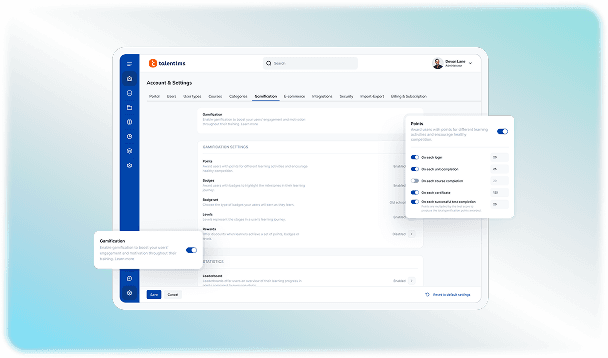
Different gamification features are also available in this platform. The titles and badges can be awarded to students when they finish a certain task to give them a sense of achievement. It also gives rise to healthy competition, which encourages students to work hard. 

A quick look at strengths and trade-offs

Pros and Cons

Pros

  • Teachers can easily organize the course content in folders that can be accessed by students without any confusion.
  • It can connect smoothly with other tools and make third-party integrations possible.
  • The platform

Cons

  • There can be technical glitches sometimes while uploading assignments.
  • Some users have faced difficulties in removing linked parent accounts once they are no longer needed

Verified buyer feedback

Schoology LMS Software Reviews

No reviews yet. Be the first to share how Schoology LMS Software works for your team.

Schoology LMS Software FAQ

Frequently asked questions

Common questions buyers ask before shortlisting Schoology LMS Software.

  • Yes. Schoology is a Learning Management System software that is used to upload, assign, assess, and grade K-12 students. It also provides a centralized platform where students, teachers, and parents can interact with each other. 

  • Schoology supports multiple languages. The user interface can be localized and translated into several global languages, like Spanish, French, Portuguese, Malay, Japanese, Thai, and Arabic. 

  • There is a vast list of Schoology integrations with other third-party applications such as Infinite Campus, Skyward, Aeries, Google Workspace, OneDrive, Blackboard, and eSchoolPlus etc. 

  • No. Schoology LMS does not offer a free trial. But you can contact us if you want to take a look at its demo. 

  • Yes. There is an AI assistant in this software known as PowerBuddy. This tool provides teachers with instructions and recommendations. Its Socratic Mode can be used by students to test their concepts and develop critical thinking skills. 

Compare similar options

Popular Alternatives

TalentLMS Software

0.0 ★ · 0 Reviews

Compare pricing, reviews, and features for TalentLMS Software in LMS Software.

Articulate 360 LMS Software

0.0 ★ · 0 Reviews

Compare pricing, reviews, and features for Articulate 360 LMS Software in LMS Software.

Blackboard Learn LMS Software

0.0 ★ · 0 Reviews

Compare pricing, reviews, and features for Blackboard Learn LMS Software in LMS Software.

Canvas LMS Software

0.0 ★ · 0 Reviews

Compare pricing, reviews, and features for Canvas LMS Software in LMS Software.

Pricing & expert advice

See real Schoology LMS Software pricing — matched to your team

Tell us how your team operates and a specialist will return with concrete numbers, an honest fit-check, and closely matched options to compare—no sales pressure.

  • ✓ Tailored quote within one business day
  • ✓ Independent fit-check from our advisors
  • ✓ Two or three alternatives to weigh up

Contact us now

Request a free consultation with us

We'll help you find tools that fit your budget and business needs. Share a few details and we'll get back to you.

You accept our policy