
Software Corporates

Study island LMS Software

0.00 verified reviews

Master the state-standard academics and prepare for standardized testing with Study Island. This web-based platform makes online learning easy and efficient. Educational institutions use it for teaching and assessing subjects like math, reading, science, and social studies. Its unique gamification features and reward system also encourage students to study. Thus, this LMS makes the learning process engaging. Teachers can also use it to analyze the performance of the students, so they can take all necessary steps to ensure better academic results. Contact us if you want to find out Study Island pricing details. Just head over to the quotation form on our website and fill it out to get in touch with our expert team.                                                                                                                  

  • Free demo available
  • Expert guidance
  • Cloud-based

What Is Study island LMS Software?

Study Island is an e-learning platform for K-12 educational institutions. It is developed by Edmentum and stands out as an LMS because of its focus on delivering education that aligns with state standards. This cloud-based platform not only makes online education interactive but also allows students to learn at their own pace. Their progress is also monitored by the teachers to ensure the best results even in rigorous tests.    

How Is Study Island Different From Traditional LMS?

State-specific customization is the most prominent distinguishing aspect of Study Island from other LMS like Canvas or Moodle. It is used by schools for advanced studies and test preparations like SAT, ACT, and GED. This program also acts as a supplemental resource to reinforce classroom lessons. Other differences include: 

Feature

Traditional LMS 

Study Island

Purpose

Schools use this platform to build and organize their entire digital curriculum.

Teachers use this tool to deliver targeted practice and formative assessments to achieve the best test results. 

Content Readiness

Educators build content and assessments from scratch.

The platform is pre-loaded with over 600000 expert-written questions that are used to design quizzes and assessments.

Learning Progression

Students go through a linear path of modules to complete a course.

The adaptive paths based on topical coverage let students progress based on the skills they master.

Data and Analytics

The system tracks general student engagement, submission statuses, and grades.

The dashboard pinpoints academic gaps down to state standards for improvement. 

Student Engagement

Learners interact through discussion boards and standard assignment portals.

Learners earn motivational Blue Ribbons and unlock built-in educational games, which makes learning fun and rewarding. 

NWEA MAP Integration And Retrieval Practice

This software ingests data from diagnostic tests like NWEA MAP Growth through partnership with educational testing bodies. It automatically maps the student’s test results to the state academic standards built into the Study Island system. This cross-mapping is used by the solution to create a personalized learning path for every student based on their level of understanding. 

Users Of Study Island

This software is used by educational institutes and the people associated with it to encourage performance-based learning. Its main users are listed as follows:  

  • K-12 students can practice their skills and take lessons for test preparation.

  • Teachers can assign work, deliver lessons, and run live group sessions after Study Island login. They can also track student performance through the solution. 

  • Schools and districts track data like grades to predict how students will perform on state assessments. 

  • Parents can review their children’s performance to support their education. 

  • Tutoring centres use this trusted tool to diagnose student weak spots and provide targeted practice to help them catch up.

Study Island Pricing Options

Study Island Edmentum offers a tier-based pricing structure where the cost varies if you are purchasing the institutional or personal plan of the platform. The details are mentioned as follows: 

  • The baseline institutional plan costs $5.50 per student for an individual subject area.

  • Expanding the platform to cover multiple subjects increases the cost to an estimated range of $11.00 to $22.00 per student annually.

  • School systems do not pay an upfront configuration fee because the software has no standard entry-level setup costs.

  • Large school districts qualify for custom volume discounts.

Families can access individual home plans through Global Student Network to bypass the institutional requirement. A one-year license requires either a single payment of $99.00 or two consecutive monthly installments of $59.50.

Note: Prices are subject to change. 

Is Study Island LMS The Best Choice?

If you are looking for an LMS software to raise standardized test goals, Study Island is the best option. Its questions are custom-built to meet the standards of each state. It analyzes the student’s performance and caters to the different learning requirements by developing personalized paths. This LMS is also a go-to choice if you want a platform that is already packed with 600000+ ready-to-use questions, games, and flashcards so teachers don't have to build materials from scratch. You can also read Study Island reviews to find out if it's the perfect fit for your educational institutions. In case you want expert advice, get in touch with Software Corporates. Fill in the quote on our website, and we will contact you asap!

9 of 11 included

Specifications

What Study island LMS Software covers across workflows, access, and support.

  • Self-Paced Learning

    Included

  • Skill Assessment

    Included

  • Progress Tracking

    Included

  • Content Sharing

    Included

  • Asynchronous Learning

    Included

  • Content Library

    Included

  • Gamification

    Included

  • Monitoring And Reporting

    Included

  • Collaboration Tools

    Included

Not included

  • Applicant Tracking

    Not included

  • Certification And Licensing

    Not included

6 core capabilities

Study island LMS Software Features

Explore what Study island LMS Software offers—from day-to-day workflows to advanced capabilities.

1

Sesei Teacher Dashboard

Study Island login for teachers gives them access to the color-coded visual map of performance of the entire class. It keeps on updating when students fill in the questions or take a quiz to see which pupil excels or who needs improvement. This helps the teachers provide timely intervention and also personalize the learning paths by adjusting their daily lessons. 

2

Gamified Rewards

Gamification is one of the rewarding features of Study Island LLC that keeps the students engaged. But students can’t only play games after logging in. They have to first practice the study materials to unlock the gaming feature. This keeps them focused and engaged. 

3

Blue Ribbon Achievement System

Appreciation always boosts motivation in students, which is why this software awards them a blue ribbon after they complete a certain portion of their course. The ribbon is displayed publicly on the Study Island login student page to boost healthy competition.   

4

Remediation And Cycling Down

This LMS has the capability to identify which student is struggling with a certain concept or topic. It circles the students down to a level where they can develop the prerequisite skills required to understand that idea. This helps in developing the confidence and skills of the student, which enables them to close the learning gap.  

5

Group Sessions

Teachers can launch a collaborative session to encourage discussion on different subjects. They can share the question in the main classroom that can be answered by students through their own devices. Teachers also get instant feedback to understand the progress of students independently in this way. 

6

Teacher Toolkit

The Teacher Instructional Toolkit is a digital library filled with a diverse range of supplemental instructional resources. It includes thousands of ready-to-use lesson plans, educational videos, worksheets, and classroom activities mapped to the specific standards they are teaching. The toolkit also facilitates teachers in helping the students cover aspects that they find difficult by offering guidance tips and remedies.

A quick look at strengths and trade-offs

Pros and Cons

Pros

  • Available practice questions are similar to the questions that appear in the standardized test. This ensures the students are well-prepared.
  • Games are only available when you complete the task or lesson so that students do not waste their time.
  • The user interface is simple to understand for both students and teachers.
  • Teachers don't have to spend hours making quizzes or worksheets because the program already has over 600000 ready-to-use questions.

Cons

  • The design focuses on multiple-choice questions, which can feel repetitive.
  • There are limited opportunities for student-teacher interaction.

Verified buyer feedback

Study island LMS Software Reviews

No reviews yet. Be the first to share how Study island LMS Software works for your team.

Study island LMS Software FAQ

Frequently asked questions

Common questions buyers ask before shortlisting Study island LMS Software.

  • Yes. Study Island offers a mobile app that is compatible with both Android and iOS devices. 

  • The platform provides customer support channels through phone lines, email, live interactive office hours, and a self-service online help center to assist both educators and students.

  • Study Island includes over 65000 advanced question styles that can match the difficulty of modern digital state exams. Students encounter interactive items like drag-and-drop sorting and graphing coordinate planes instead of choosing only multiple-choice boxes. 

  • Yes. Parents can purchase an independent home subscription through official third-party partners like the Global Student Network, even though the software is mainly designed for school districts. 

  • This LMS software can integrate with multiple third-party solutions such as:  

    • Clever 

    • Classlink 

    • Canvas 

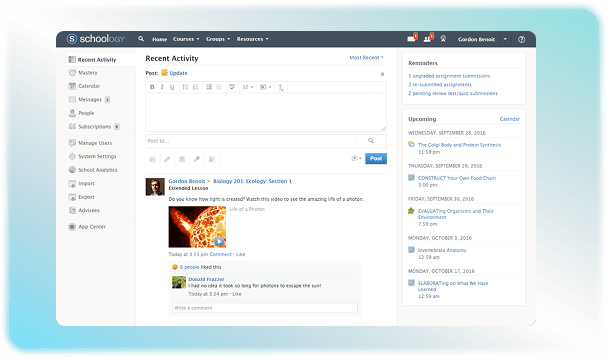
    • Schoology 

    • Renaissance Star Assessments

    • SAML

Compare similar options

Popular Alternatives

TalentLMS Software

0.0 ★ · 0 Reviews

Compare pricing, reviews, and features for TalentLMS Software in LMS Software.

Articulate 360 LMS Software

0.0 ★ · 0 Reviews

Compare pricing, reviews, and features for Articulate 360 LMS Software in LMS Software.

Blackboard Learn LMS Software

0.0 ★ · 0 Reviews

Compare pricing, reviews, and features for Blackboard Learn LMS Software in LMS Software.

Schoology LMS Software

0.0 ★ · 0 Reviews

Compare pricing, reviews, and features for Schoology LMS Software in LMS Software.

Pricing & expert advice

See real Study island LMS Software pricing — matched to your team

Tell us how your team operates and a specialist will return with concrete numbers, an honest fit-check, and closely matched options to compare—no sales pressure.

  • ✓ Tailored quote within one business day
  • ✓ Independent fit-check from our advisors
  • ✓ Two or three alternatives to weigh up

Contact us now

Request a free consultation with us

We'll help you find tools that fit your budget and business needs. Share a few details and we'll get back to you.

You accept our policy