Software Corporates
ClockShark HR Software

ClockShark HR Software

Mobile and fieldwork businesses need time-tracking and scheduling software to manage job sites. ClockShark is a cloud-based solution that ensures that the workforce stays connected and is paid accurately and on time. The time-tracking feature of this software accurately keeps a record of when a worker clocks in. Its geo-fencing capabilities ensure that the labourers are present on-site and are not signing in from any other location. The precisely tracked hours ensure that the workers are paid fairly and their wages are not rounded up. Schedule a ClockShark demo now to find out more details and specifications. Contact us now! 

  • Free demo available
  • Expert guidance
  • Cloud-based
  • Saas
ClockShark HR Software gallery image 1 of 3

1 / 3

What Is ClockShark HR Software?

ClockShark is a cloud-based time tracking and job management system for construction companies, trade contractors, and field service businesses. It allows the mobile workforce to log their hours and track hours accurately to keep a record of labor costs.  

Which Industries Can Benefit From ClockShark?

This software benefits field technicians and trade crews who work across multiple job sites. It facilitates mobile forces in the following industries: 

  • Construction 

  • Electrical 

  • Plumbing 

  • HVAC Services

  • Roofing And Siding 

  • Janitorial And Cleaning Services

  • Pool Maintenance 

  • Property Management 

Payroll Integration Options

The software links with human resources and accounting platforms for automatic payroll processing. These integrations eliminate the manual data entry process, track job costs, and keep a record of labor hours. ClockShark integrations include:  

Pricing Structures

ClockShark pricing is a base fee plus a per-user fee cost structure. You only pay for active employees, and the platform offers a 14-day free trial that includes all Pro features. The cost depends on the plan you choose:

Plan 

Base Price 

Per-User Price 

Features Included

Standard

$40 to $42 / month

$9 to $9.50 / month

GPS tracking, scheduling, timesheets, accounting integrations.

Pro

$60 to $63 / month

$11 to $11.50 / month

Everything in Standard, plus advanced GPS, advanced job costing controls, PTO tracking, multi-department controls, and clock-out compliance questions. 

Why Select ClockShark Software?

ClockShark HR software is a good option for managing mobile workforces in a vast range of industries. The software stands out because of its operational advantages. GPS tracking ensures workers are physically on the job site when they clock in. Managers can review digital hours and send them to accounting software without any hassle. Its mobile app also works offline when workers are in remote locations with poor internet service. The data is synced once the connection returns to ensure no important information or file is lost. 

You can also check out the ClockShark reviews to get a better idea of the benefits and limitations of this software. For more pricing details, fill in the quotation form on our website to get in touch with industry experts.


13 capabilities included

Specifications

What ClockShark HR Software covers across workflows, access, and support.

  • Clock In/ Out

    Included

  • Timesheet Management

    Included

  • Payroll Management

    Included

  • Employee Scheduling

    Included

  • Billable Items Tracking

    Included

  • Business Tool Integration

    Included

  • Expense Tracking

    Included

  • Invoice Creation And Delivery

    Included

  • Optical Character Recognition

    Included

  • Progress Tracking

    Included

  • Shift Scheduling And Management

    Included

  • Reimbursement Management

    Included

  • Electronic Payments

    Included

4 core capabilities

ClockShark HR Software Features

Explore what ClockShark HR Software offers—from day-to-day workflows to advanced capabilities.

1

GPS And Geofencing

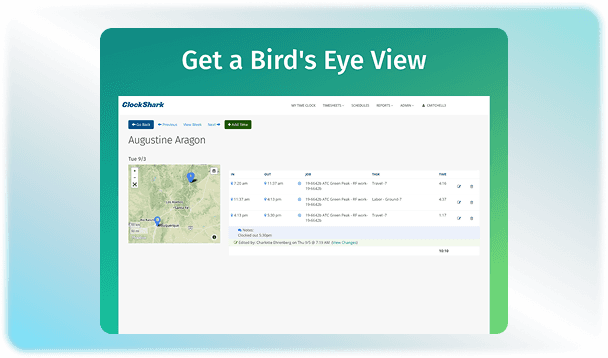
The software finds the accurate location of a worker the moment they clock in or out. ClockShark login reminders are given as geofencing alerts to ensure workers do not forget when they enter a jobsite or when it is time to clock out. It also features a live map that lets them know where the active field employees are working at a particular moment. 

2

Drag-and-Drop Scheduling

Managers can build and edit schedules using the drag-and-drop features to create a visual calendar against the names of the workers. The laborers are also alerted when a shift is added or changed through the software to ensure smooth communication. 

3

Flexible Clock-Ins

This solution gives you multiple ways to keep track of the hours. Employees may clock in to track time through a mobile app, and at the same time, office staff can access it through the web. Through crew and Kiosk options, supervisors can clock in the complete team at once, or a single device can be used for shared clock-ins made possible through PIN codes. 

4

Job Costing

You can track how much money you spend on labor for each project through this platform. This helps with accurate invoicing, as precise time logs let you create accurate customer bills and verify labor expenses. It also makes task tracking possible for workers to select a specific job or labour task. 

A quick look at strengths and trade-offs

Pros and Cons

Pros

  • It can connect easily with payroll and accounting tools.
  • Customer service receives positive reviews for being fast and helpful.
  • Both field workers and office staff can use the software because of its easy-to-use interface.
  • The ClockShark app is compatible with both iOS and Android devices.

Cons

  • Discounts are usually tied to long-term commitment, which lacks flexibility.
  • Workers are often required to select a specific job or task before they can complete a clock-in.
  • The mobile app lacks a crew overview and monthly schedule views.

Verified buyer feedback

ClockShark HR Software Reviews

No reviews yet. Be the first to share how ClockShark HR Software works for your team.

ClockShark HR Software FAQ

Frequently asked questions

Common questions buyers ask before shortlisting ClockShark HR Software.

  • It uses 15- 20% of your battery during an 8-hour shift. It also uses very little data, only about 5 to 25 MB for the whole time of a full month of work. 

  • Yes. You can set up your specific state or local laws in the system. The software automatically splits regular hours from overtime hours before sending the data to payroll to make sure everyone is paid fairly. 

  • The same phone or tablet can be used as a tracking station using Kiosk mode. Each worker simply enters their own unique 4-digit PIN to punch in, punch out, or switch tasks. 

  • There is no limit to the number of jobs or tasks you can create. You can add as many clients, job sites, and task codes as you need on any pricing plan.

Compare similar options

Popular Alternatives

ClearCompany HR Software

ClearCompany HR Software

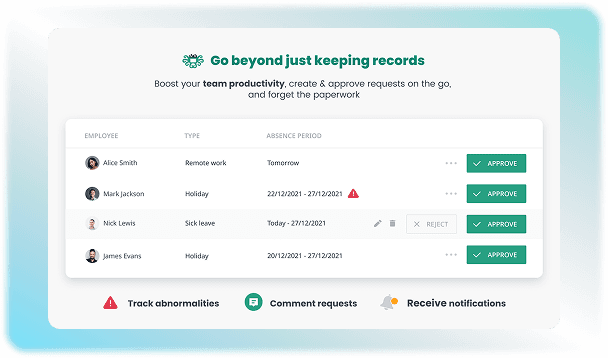
Compare pricing, reviews, and features for ClearCompany HR Software in Human Resources Software.

Calamari HR Software

Calamari HR Software

Compare pricing, reviews, and features for Calamari HR Software in Human Resources Software.

Gusto HR Software

Gusto HR Software

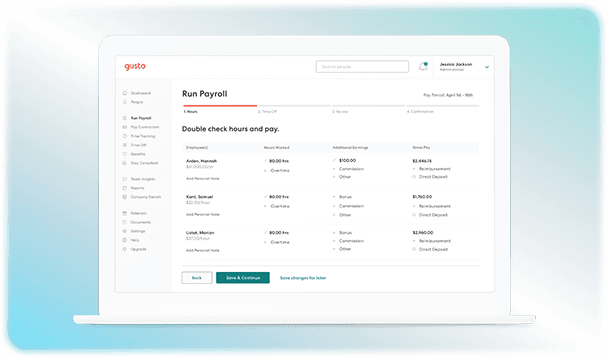
Compare pricing, reviews, and features for Gusto HR Software in Human Resources Software.

isolved HCM HR Software

isolved HCM HR Software

Compare pricing, reviews, and features for isolved HCM HR Software in Human Resources Software.

Pricing & expert advice

See real ClockShark HR Software pricing — matched to your team

Tell us how your team operates and a specialist will return with concrete numbers, an honest fit-check, and closely matched options to compare—no sales pressure.

  • ✓ Tailored quote within one business day
  • ✓ Independent fit-check from our advisors
  • ✓ Two or three alternatives to weigh up

Contact us now

Request a free consultation with us

We'll help you find tools that fit your budget and business needs. Share a few details and we'll get back to you.

You accept our policy