

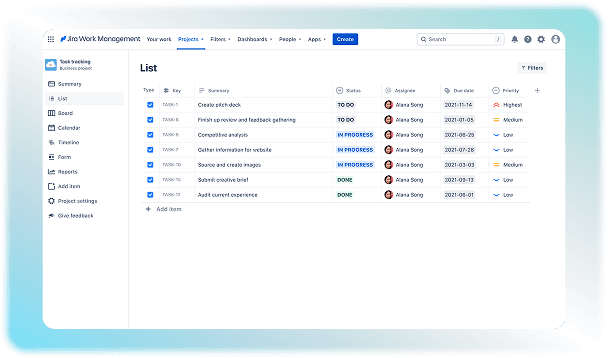
What Is Jira Software?
Jira Product Management software is a cloud-based platform that keeps a complete record of tasks. It turns every piece of work into a digital card called an issue that lets a team collaborate and assess the progression of the task. Users can organize tasks with clarity using this solution to make the work more manageable and hassle-free. All concerned team members can check the status of the task to stay well-informed in case of any updates. Jira tool is mainly used by:
Software Development Teams
Project Managers
IT and Support Teams
Businesses
Creative Teams
Jira Integrations
There are more than 30000+ Jira integrations and apps available through the Atlassian Marketplace. These connections make the workflow faster and more efficient. Some of the common options include:
GitHub
GitLab
Bitbucket
Zoom
Slack
Salesforce
Microsoft Teams
Outlook
How Much Does Jira Cost?
You can get a permanent free plan for this software with a maximum of 10 users. It is best for small teams or startups launching new projects. The paid Jira pricing plans include:
Standard Plan: Approximately $9.05 per user/month.
Premium Plan: Approximately $18.30 per user/month.
Enterprise Plan: Custom quotes with annual billing
New customers get a Jira free trial of Standard or Premium features for 7 days without entering payment information. Contact us for more pricing details.
How To Proceed After Jira Login?
Are you curious to know how Jira works? We have made a list of some basic steps that can help you understand the software a bit. You just have to follow these basic steps:
Log in to Jira and go to your team's project page.
Create a new ticket and select its type.
Fill in the project details and pick a team member to do the work.
Search for tickets by sorting them by who is working on them, their current progress, urgency, or deadlines.
Check the main project board to see where all the tickets sit in different progress columns.
Drag and drop your tickets into different columns as you make progress on them.
Check the reports tab to see how well your team is doing and look at project charts. You can also leave feedback and suggest changes if you want.
Is Jira PM Software A Good Option?
Jira Project Management solution is useful for both emerging and established companies. Software and technical teams that require customization and Agile tracking benefit the most from it. It lets you track bugs, plan sprints, and handle release cycles for an efficient workflow. However, it can be confusing for non-technical users or simple projects. You can contact our team to learn more about Jira pros and cons before making the final decision.